






Heroes and Castles 2: Premium
Survivalcraft
LEGO ® Marvel Super Heroes
Door Kickers: Action Squad
Star Survivor:Premium
ScourgeBringer
Cover Fire: Offline Shooting
Mortar Defense

Wizard of Legend
Shadow Fight 2 Special Edition
Advertisement
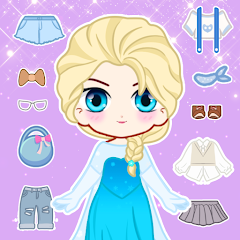
Doll Dress Up: Sweet Girl
Updated Time
Apr 2, 2026
Category
Casual
Installs
10M+
Content Rating
Updated Time
Apr 2, 2026
Category
Casual
Installs
10M+
Content Rating
Screenshots
Advertisement
Editor Reviews
• What is Doll Dress Up: Sweet Girl?
Sweet Style Playground
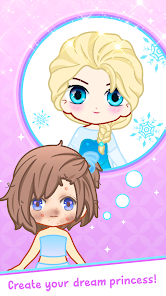
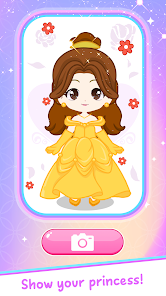
Dress kawaii dolls with thousands of outfits, hairstyles, and accessories. Mix pastel vibes, anime looks, and chic trends to craft the cutest avatars ever ✨?.
Endless Wardrobe Magic
Explore themed closets—school, party, holiday, fairy. Layer tops, skirts, shoes, bags, and pets. Every tap refreshes ideas, no pressure, pure cozy fun ?.
Creativity Meets Mini-Tasks
Complete style prompts, color-match sets, and makeover challenges. Unlock new items as play continues, spark fashion sense, and relax with soothing dress-up flow ?.
Share Your Sparkle
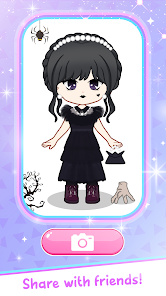
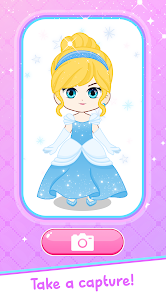
Snap the doll, switch backgrounds, and save to gallery. Share on socials, set as wallpaper, and build a cute lookbook of daily outfits ?⭐.
• How to Play?
Step 1: Begin with a doll and a theme, then tap categories to dress, style hair/makeup, and set a scene. Save the masterpiece when the look feels balanced and charming ✨.
Step 2: Pick a Doll
Step 3: Open the game, enter Play, and pick a doll base. Tap the name or body type if available, then confirm to load a blank model ready for styling ?.
Step 4: Choose a Theme
Step 5: Tap Theme or Scene (school, party, fairy). This filters items to match the vibe and helps build a coordinated outfit from the start ?.
Step 6: Dress from Top to Toe
Step 7: Tap Tops, Bottoms, Dresses, Shoes, and Bags. Swipe to browse, then tap to equip; tap again to swap. Use long-press to remove or the trash icon ?.
Step 8: Hair and Makeup
Step 9: Open Hair for styles and colors; try gradients and cute bangs. Go to Makeup to change eyes, blush, and lips. Slide color pickers to fine-tune shades ?.
Step 10: Extras and Backgrounds
Step 11: Add Accessories, Pets, and Stickers for flair. Switch Backgrounds to fit the mood, then pinch to zoom or drag the doll to frame the perfect shot ?.
Step 12: Save and Share
Step 13: Tap Save or Camera to export in HD. Store to Gallery, set as wallpaper, or share on Instagram/TikTok. Use Slots to save multiple outfit presets ?.
Download for App
Ratings
Similar Games


Online Games












Disclaimer
WinWilder does not represent any developer, nor is it the developer of any App or game.
WinWilder provides screenshots, historical version APK, links and other information collected from Google Play.
All trademarks, registered trademarks, product names and company names or logos appearing on the site are the property of their respective owners.
We guarantee the security of APK files downloaded from our site and also provide the official download link at Google Play Store and App Store.