




Heroes and Castles 2: Premium
Survivalcraft
LEGO ® Marvel Super Heroes
Door Kickers: Action Squad
Star Survivor:Premium
ScourgeBringer
Cover Fire: Offline Shooting
Mortar Defense
Wizard of Legend
Shadow Fight 2 Special Edition
Advertisement
Makerblox - Create Skins
Updated Time
Apr 1, 2026
Category
Entertainment
Installs
10M+
Content Rating
Updated Time
Apr 1, 2026
Category
Entertainment
Installs
10M+
Content Rating
Screenshots
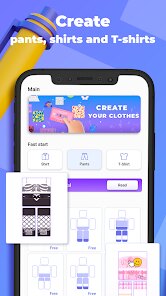
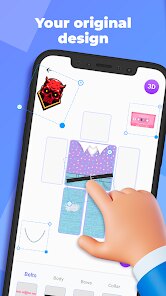
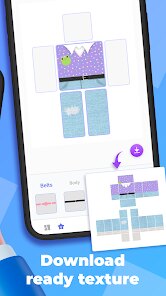
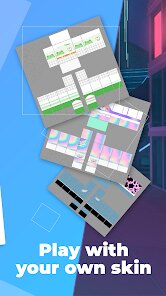
Advertisement
Editor Reviews
• What is Makerblox - Create Skins?
Creative Skin Studio
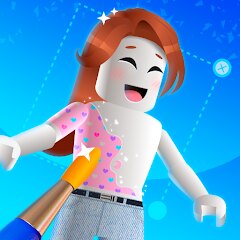
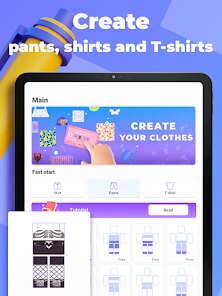
Makerblox is a handy avatar and skin maker for Roblox fans, built to design outfits, tweak colors, and craft unique looks fast. Simple tools, vibrant packs, and fun vibes ?✨.
Mix & Match Magic
Swap shirts, pants, faces, hair, and accessories with a tap. Layer items, adjust tones, and try themed collections. Endless combos keep styles fresh and expressive ??.
Playful Customization
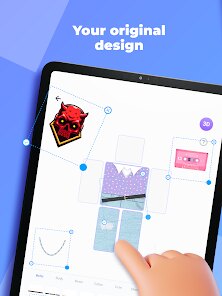
Drag, zoom, and preview in real time. Stickers, textures, and palettes add flair. Templates help beginners, while finer controls suit detail lovers ??️.
Quick Share & Save
Save creations to the device or gallery, export for use as references, and share with friends. Fast load times and neat folders make managing looks easy ??.
• How to Play?
Step 1: Start a new avatar, pick a template or blank canvas, then customize with clothing, colors, stickers, and accessories. Live preview helps refine style and achieve a polished look ?.
Step 2: Launch the app ▶️ Grant storage permissions if asked. Tap New Project or select a Template to begin, then set a name to keep designs organized.
Step 3: Choose body type and skin tone ?. Pick base pieces from Shirts and Pants tabs. Tap to equip, swap as needed, and fine‑tune colors with the palette tool.
Step 4: Add faces, hair, and accessories ??. Mix sets, adjust size with pinch gestures, tweak colors, and use Remove to clear items that don’t fit the theme.
Step 5: Decorate with stickers and textures ✨. Pinch to zoom, drag to position, and adjust layer order so elements sit perfectly. Duplicate items for balanced layouts.
Step 6: Check the full preview ?. Save to gallery as PNG, export for reference in the Roblox avatar editor, and share via social apps or file managers.
Step 7: Manage creations in My Skins ?. Rename, duplicate for quick variants, edit anytime to refresh trends, and star favorites for faster access.
Download for App
Ratings
Similar Games
Online Games












Disclaimer
WinWilder does not represent any developer, nor is it the developer of any App or game.
WinWilder provides screenshots, historical version APK, links and other information collected from Google Play.
All trademarks, registered trademarks, product names and company names or logos appearing on the site are the property of their respective owners.
We guarantee the security of APK files downloaded from our site and also provide the official download link at Google Play Store and App Store.