








Heroes and Castles 2: Premium
Survivalcraft
LEGO ® Marvel Super Heroes

Door Kickers: Action Squad
Star Survivor:Premium
ScourgeBringer

Cover Fire: Offline Shooting

Mortar Defense

Wizard of Legend

Shadow Fight 2 Special Edition
Advertisement

My Singing Monsters Composer
Big Blue Bubble Inc.
Updated Time
Apr 2, 2026
Category
Music
Installs
10M+
Content Rating
Updated Time
Apr 2, 2026
Privacy Policy
View PolicyCategory
Music
Developer
Big Blue Bubble Inc.
Installs
10M+
Content Rating
Screenshots
Advertisement
Editor Reviews
• What is My Singing Monsters Composer?
A Monster Music Sandbox
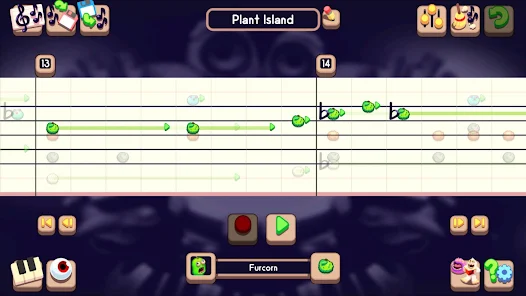
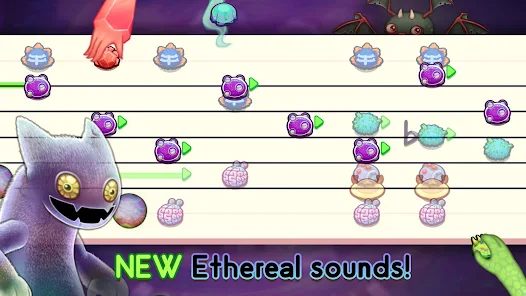
Compose original songs by placing adorable Monsters on a grid staff. Each voice sings the notes you write, so melodies, harmonies, and rhythms spring to life in a playful, musical world ?.
Why It Stands Out
Create at your pace—no waiting. Change tempo, key, and time signature anytime. Save ideas offline, replay instantly, and grow sketches into full jams with intuitive tools and zero stress ✨.
Playful Creativity
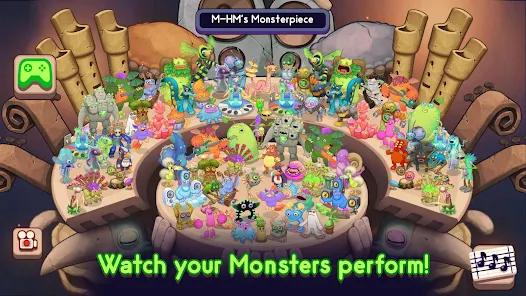
Blend quirky vocals, drums, and rare critters for rich textures. Layer parts, build call-and-response, and watch Monsters animate as they perform. It’s music class meets monster mash ??.
Perfect for Everyone
Friendly tools guide beginners, while depth rewards pros: note lengths, rests, sharps, flats, ties, and multi-bar editing. Great for learning patterns, ear training, and songwriting ??.
• How to Play?
Step 1: Open the app, start a new song, and build a catchy tune by placing notes for different Monsters. Follow these quick steps to go from silence to sing-along ??
Step 2: Tap New Song on the main screen. Pick a tempo that feels right, set the time signature (4/4, 3/4, etc.), and choose a key for your vibe. Enable the metronome to lock in your groove ⏱️?️.
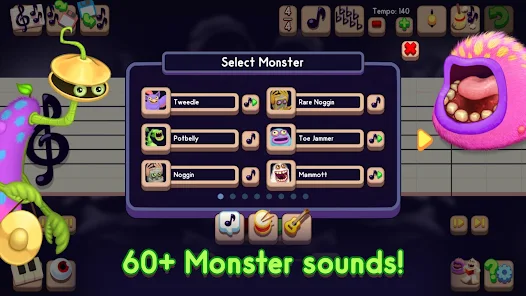
Step 3: Open the Monster menu and add singers and percussion to tracks. Each Monster has a unique timbre—assign lead, harmony, bass, and drums to shape your arrangement ???.
Step 4: Select a Monster track. Tap the staff/grid to place notes at the pitches you want. Choose note lengths, add rests, and tie notes across bars. Use snap-to-grid to keep rhythms tight ✍️?.
Step 5: Use measure tools to copy, paste, and duplicate bars. Arrange intro, verse, and chorus blocks, and tweak transitions by adding pickups or short breaks between sections ??.
Step 6: Adjust tempo if the groove feels off, toggle the metronome, and use mute/solo to focus while editing. Test different keys or time signatures to discover fresh feels and flows ?✨.
Step 7: Tap Save, name your song, and keep versions as you iterate. Use Share to let friends hear your tune from within the app, or back up projects so your best ideas never get lost ??.
Download for App
Ratings
Similar Games



Online Games














Disclaimer
WinWilder does not represent any developer, nor is it the developer of any App or game.
WinWilder provides screenshots, historical version APK, links and other information collected from Google Play.
All trademarks, registered trademarks, product names and company names or logos appearing on the site are the property of their respective owners.
We guarantee the security of APK files downloaded from our site and also provide the official download link at Google Play Store and App Store.