














Heroes and Castles 2: Premium
Survivalcraft

LEGO ® Marvel Super Heroes
Door Kickers: Action Squad

Star Survivor:Premium
ScourgeBringer

Cover Fire: Offline Shooting

Mortar Defense

Wizard of Legend

Shadow Fight 2 Special Edition
Advertisement

Poppy Playtime Chapter 3
Mob Entertainment
Updated Time
Apr 1, 2026
Category
Adventure
Installs
10M+
Content Rating
Updated Time
Apr 1, 2026
Privacy Policy
View PolicyCategory
Adventure
Developer
Mob Entertainment
Installs
10M+
Content Rating
Screenshots
Advertisement
Editor Reviews
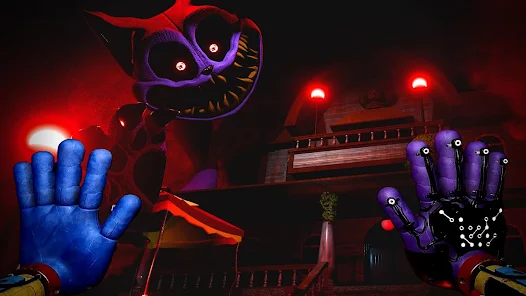
• What is Poppy Playtime Chapter 3?
Overview
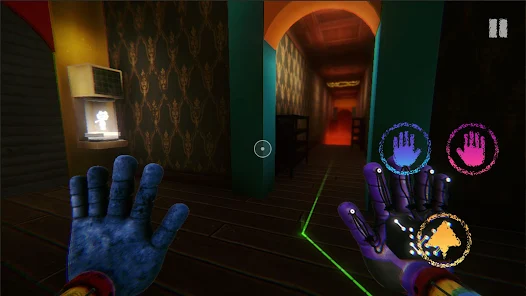
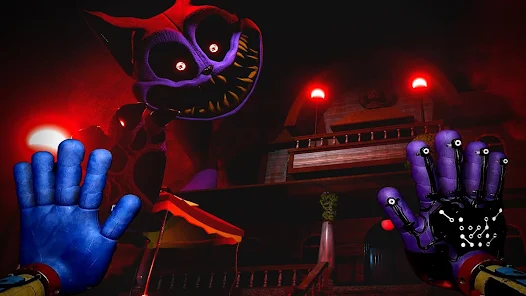
A first-person horror adventure set in Playcare, the abandoned orphanage of Playtime Co. Explore eerie halls, solve puzzles, and survive toys turned terrors like CatNap. ???
Standout Features
Tactile GrabPack hands, smart stealth, atmospheric audio, and varied puzzles. Mobile-optimized controls and checkpoints keep tension tight while respecting handheld play. ???
Why It's Fun
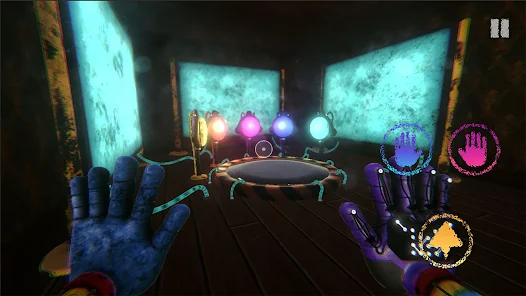
Chase-and-hide moments, clever wiring and door mechanisms, collectible lore, and unpredictable encounters deliver heart-pounding scares with satisfying progress. ???
Atmosphere & Story
Uncover Playtime Co.’s secrets through notes, tapes, and set pieces. Cinematic scenes blend with exploration to reveal Playcare’s chilling past and present. ???
• How to Play?
Step 1: Survival-horror exploration with puzzle solving and stealth. Learn controls, manage resources, and use the GrabPack to navigate Playcare safely. ??
Step 2: Install & setup
Step 3: Install, grant storage/audio permissions, launch, tap New Game, adjust brightness and sensitivity in Settings for clearer visuals and smoother camera. ?⚙️
Step 4: Master controls
Step 5: Use left thumb to move, right thumb to look. Tap interact icons, and fire GrabPack hands to pull levers, grab items, and connect power nodes. Practice in safe rooms. ?️?
Step 6: Solve puzzles
Step 7: Follow cable colors, align symbols, and time switches. If stuck, read nearby notes or listen to tapes for hints. Puzzles often chain across rooms—track objectives. ??
Step 8: Stealth & escape
Step 9: When toys patrol, crouch to reduce noise, hide in lockers, and watch patterns. If spotted, sprint to lit paths and close doors behind. Retry via checkpoints. ??♂️?
Step 10: Manage gear
Step 11: Use flashlight sparingly, check inventory for key items, and conserve GrabPack charge if limited. Restore power stations to unlock gates and elevators. ???
Step 12: Save & continue
Step 13: Progress saves at checkpoints. From the pause menu, review controls, hints, and audio. Return later; the game resumes near the last safe area. ⏸️?
Download for App
Ratings
Similar Games













Online Games















Disclaimer
WinWilder does not represent any developer, nor is it the developer of any App or game.
WinWilder provides screenshots, historical version APK, links and other information collected from Google Play.
All trademarks, registered trademarks, product names and company names or logos appearing on the site are the property of their respective owners.
We guarantee the security of APK files downloaded from our site and also provide the official download link at Google Play Store and App Store.