










Heroes and Castles 2: Premium
Survivalcraft

LEGO ® Marvel Super Heroes
Door Kickers: Action Squad
Star Survivor:Premium

ScourgeBringer

Cover Fire: Offline Shooting

Mortar Defense

Wizard of Legend

Shadow Fight 2 Special Edition
Advertisement

RFS - Real Flight Simulator
RORTOS
Updated Time
Apr 1, 2026
Category
Simulation
Installs
10M+
Content Rating
Updated Time
Apr 1, 2026
Privacy Policy
View PolicyCategory
Simulation
Developer
RORTOS
Installs
10M+
Content Rating
Screenshots
Advertisement
Editor Reviews
• What is RFS - Real Flight Simulator?
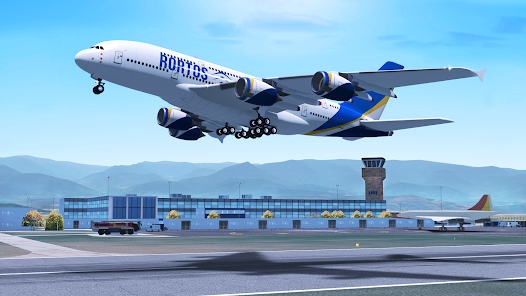
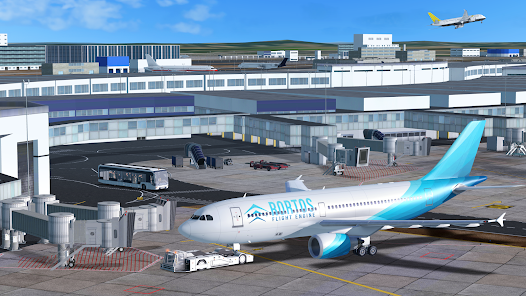
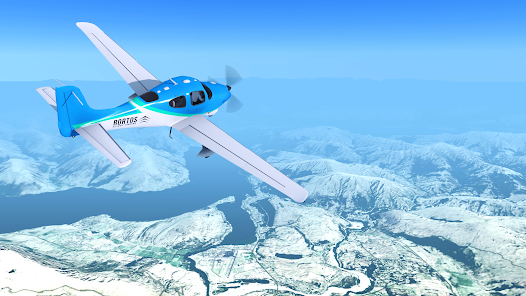
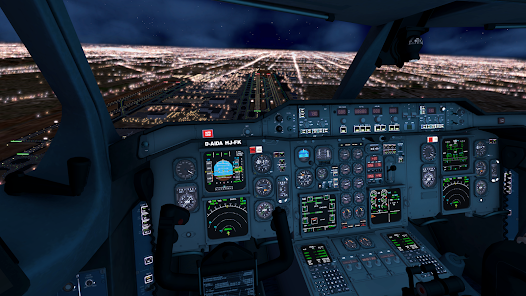
Overview: A deep mobile flight sim with global airports, real-time weather, and authentic cockpits. Fly anywhere, manage systems, and feel the skies with smooth visuals ✈️?
Standout Features: Live traffic, detailed avionics, and ATC communications bring realism. Dynamic weather, failures, and full flight planning keep each route fresh and challenging ⚙️?️
Fun Factor: Jump into quick hops or long-haul adventures, switch views, and paint liveries. Join events and multiplayer to share skies, screenshots, and landings with friends ??
World & Community: Explore real-world nav data, satellite maps, and thousands of airports. Learn fast with tutorials, then climb ranks and unlock more aircraft and options ?️?
• How to Play?
Step 1: From the Home screen, start with Tutorials to learn basics, then pick Free Flight or Multiplayer. Plan a route, set weather and fuel, and enter the cockpit ?
Step 2: Pick Aircraft & Controls: select a plane and livery; in Settings choose tilt or joystick, calibrate, adjust sensitivity, and pick camera presets ?
Step 3: Plan Route & Weather: tap Flight Plan to set departure/arrival, add SIDs/STARs, cruise altitude, and waypoints; open Weather to load real METAR or customize conditions ??️
Step 4: Fuel & Balance: open Weight & Balance, set fuel, passengers, and cargo; confirm CG is in limits; save the setup before spawning ⛽
Step 5: Start & Taxi: on stand, power batteries/APU, start engines, set altimeter and flaps; request pushback/taxi via ATC panel and follow the yellow taxi lines ?️
Step 6: Takeoff & Climb: line up, set takeoff power, rotate at Vr, gear up; follow the SID; engage Autopilot (NAV/HDG, ALT, VS, SPD) when stable; trim as needed ✈️
Step 7: Cruise & Land: monitor fuel and speed, step climb if needed; load STAR/approach, arm APP for ILS or fly VFR; manage flaps/spoilers; touch down, brake, exit, and request parking ?
Download for App
Ratings
Similar Games












Online Games















Disclaimer
WinWilder does not represent any developer, nor is it the developer of any App or game.
WinWilder provides screenshots, historical version APK, links and other information collected from Google Play.
All trademarks, registered trademarks, product names and company names or logos appearing on the site are the property of their respective owners.
We guarantee the security of APK files downloaded from our site and also provide the official download link at Google Play Store and App Store.