




Heroes and Castles 2: Premium
Survivalcraft
LEGO ® Marvel Super Heroes
Door Kickers: Action Squad
Star Survivor:Premium
ScourgeBringer
Cover Fire: Offline Shooting
Mortar Defense
Wizard of Legend
Shadow Fight 2 Special Edition
Advertisement
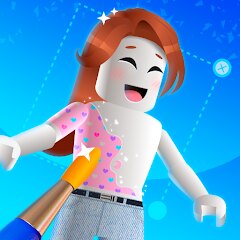
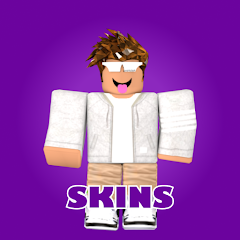
Skins Master for Roblox Shirts
Updated Time
Apr 1, 2026
Category
Entertainment
Installs
10M+
Content Rating
Updated Time
Apr 1, 2026
Category
Entertainment
Installs
10M+
Content Rating
Screenshots
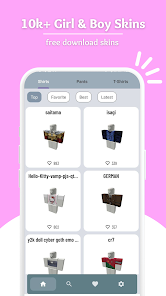
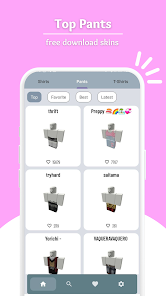
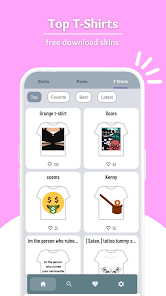
Advertisement
Editor Reviews
• What is Skins Master for Roblox Shirts?
Overview
Skins Master for Roblox Shirts is a fan-made wardrobe tool. Browse shirt designs, preview looks, and build outfits in one hub. Not affiliated with Roblox. ??✨
Highlights
Fast search, smart filters, and clear previews save time. Favorites and collections streamline planning. Clean UI with lightweight performance feels smooth. ⚡️??
Fun & Creative
Mix and match shirts with color vibes, try trendy themes, and craft standout looks. Emoji tags and playful titles keep browsing lively. Share style ideas with friends easily. ???
Safe & Fair Use
Utility app for costumes only; does not provide free Robux. Requires Roblox to apply items. Respect creators and follow platform rules. Third‑party, not official. ✅??
• How to Play?
Step 1: Skins Master works like a wardrobe assistant. Explore shirts, preview styles, save favorites, then apply items via Roblox. Simple steps below make setup and styling quick. ?✨
Step 2: Install Skins Master from Google Play and open it. Grant storage permission if prompted to save images and lists. No account needed; Home loads featured collections. ??
Step 3: Browse categories or tap Search. Use filters like color, style, or trend tags to narrow results. Open a shirt in the viewer to check details and fit vibe before saving. ??
Step 4: Tap the heart to add shirts to Favorites, or create collections for outfits. Rename lists with emojis for quick recall. Long‑press items to reorder or remove. ?❤️
Step 5: Select a shirt, then use the Copy ID or Save image option (if provided). The code or file stays in clipboard/storage, ready for use in Roblox avatar editor. ?➡️
Step 6: Open Roblox, enter the Catalog or Avatar Shop. Search the copied ID or name, acquire the item if needed, then equip it in Avatar Editor under Shirts to update style. ??
Step 7: Return to Skins Master to refine outfits. Share screenshots or lists, and back up Favorites if supported. Keep experimenting to discover a signature look. ?✨
Download for App
Ratings
Similar Games
Online Games













Disclaimer
WinWilder does not represent any developer, nor is it the developer of any App or game.
WinWilder provides screenshots, historical version APK, links and other information collected from Google Play.
All trademarks, registered trademarks, product names and company names or logos appearing on the site are the property of their respective owners.
We guarantee the security of APK files downloaded from our site and also provide the official download link at Google Play Store and App Store.