









Heroes and Castles 2: Premium
Survivalcraft

LEGO ® Marvel Super Heroes
Door Kickers: Action Squad
Star Survivor:Premium
ScourgeBringer

Cover Fire: Offline Shooting
Mortar Defense

Wizard of Legend

Shadow Fight 2 Special Edition
Advertisement

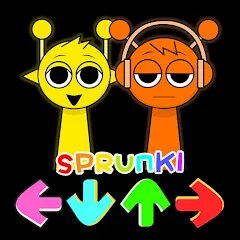
Sprunki Beat: Full Mod Music
Updated Time
Apr 1, 2026
Category
Music
Installs
10M+
Content Rating
Updated Time
Apr 1, 2026
Category
Music
Installs
10M+
Content Rating
Screenshots

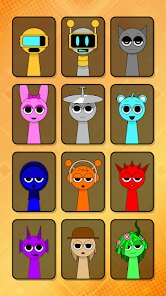
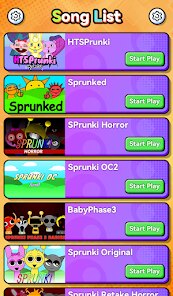
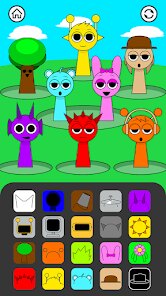
Advertisement
Editor Reviews
• What is Sprunki Beat: Full Mod Music?
Beat-Mixing Sandbox
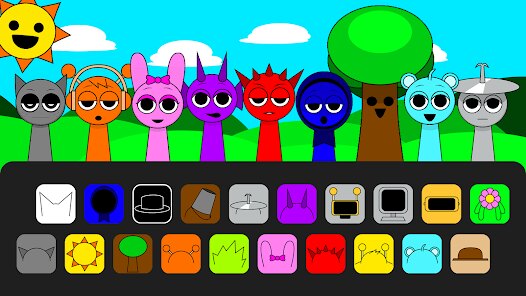
Sprunki Beat: Full Mod Music is a playful rhythm lab where characters drop loops, vocals, and FX. Stack sounds, mute parts, and build catchy tracks in seconds. Easy vibes, big grooves. ?✨
Mod-Powered Variety
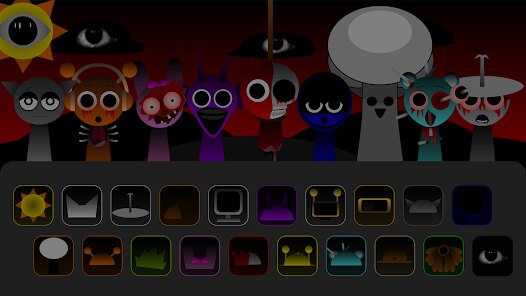
Packed with mod packs, skins, and surprise sounds, every session feels new. Swap themes, unlock quirky sprites, and flip styles from chill lo-fi to punchy EDM without fuss. ??️
Tap, Drag, Drop Fun
Simple controls keep focus on creativity. Tap to trigger, drag to arrange, hold for solos, and mix on the fly. Visual cues and playful animations make beats come alive. ??
Share-Worthy Moments
Record mixes, save favorite combos, and replay instantly. Quick loops fit socials and streams, turning small ideas into bouncy earworms friends will hum all day. ??
• How to Play?
Step 1: Getting started is quick: build a track by placing characters into slots, then layer loops and effects until the groove clicks. Headphones recommended for crispy kicks. ?
Step 2: Launch and choose a mod pack from the home screen. Each pack changes characters, sounds, and visuals—pick a vibe like chill, hip‑hop, or EDM to set the tone. ?
Step 3: Enter the stage and tap a character to activate its loop. Drag into an empty slot to add; tap again to mute. Combine drums, bass, chords, and vocals for a full stack. ➕
Step 4: Hold on a character for alt actions: solo, remove, or switch variation. Use color glows as timing hints, and keep loops aligned to the bar for tidy grooves. ?️
Step 5: Open mixer or FX buttons (when available) to tweak volume, reverb, and filters. Slide knobs gently to avoid clipping; aim for clear peaks and balanced layers. ?️
Step 6: Tap the record button to capture the performance. Let the loop run at least 8 bars, then stop to auto‑save. Name the mix and find it in the library for replay. ⏺️
Step 7: Share from the library using the device share sheet. Export as video or audio if offered, check levels, and preview before posting for clean, punchy playback. ?
Download for App
Ratings
Similar Games






Online Games














Disclaimer
WinWilder does not represent any developer, nor is it the developer of any App or game.
WinWilder provides screenshots, historical version APK, links and other information collected from Google Play.
All trademarks, registered trademarks, product names and company names or logos appearing on the site are the property of their respective owners.
We guarantee the security of APK files downloaded from our site and also provide the official download link at Google Play Store and App Store.