









Survivalcraft
LEGO ® Marvel Super Heroes
Door Kickers: Action Squad
Star Survivor:Premium
ScourgeBringer

Cover Fire: Offline Shooting

Mortar Defense

Wizard of Legend

Shadow Fight 2 Special Edition

World War: Fight For Freedom
Advertisement
Toca Life World: Build a Story
Toca Boca
Updated Time
Apr 1, 2026
Category
Education
Installs
10M+
Content Rating
Updated Time
Apr 1, 2026
Privacy Policy
View PolicyCategory
Education
Developer
Toca Boca
Installs
10M+
Content Rating
Screenshots
Advertisement
Editor Reviews
• What is Toca Life World: Build a Story?
A Playful Sandbox
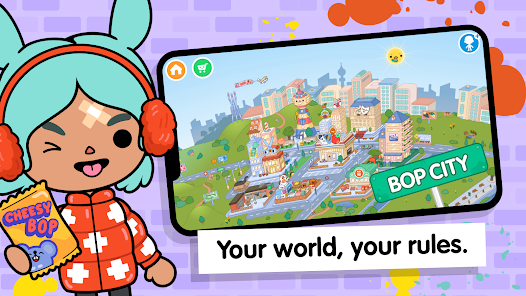
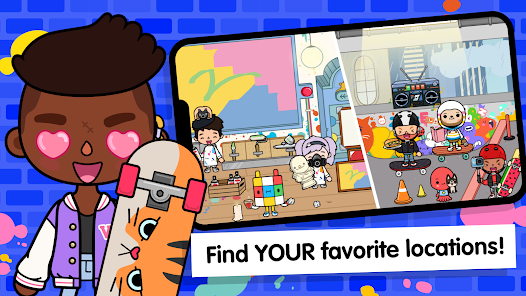
One big world where all Toca Life stories connect. Mix locations, characters, and props to craft silly scenes, dramas, and routines—no rules, just imagination and giggles ?♂️✨
Why It Shines
Kid-safe design with playful freedom. Weekly gifts, surprise secrets, and endless combos spark creativity. No scores or timers—only open-ended fun that grows with every pack added ??
Fun Highlights
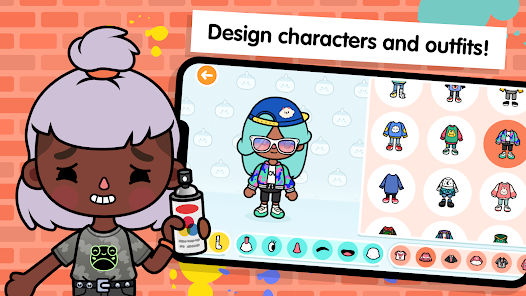
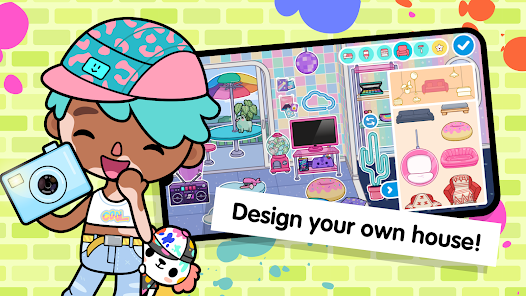
Home Designer builds cozy pads, Character Creator styles avatars, pets tag along, hair dyes pop, and food stacking gets wild. Hidden goodies reward exploring and experimentation ????
Story Power
Boosts imagination, storytelling, and social play. Great for solo adventures or family co-play; simple controls and expressive toys make every scene feel alive and share-worthy ??
• How to Play?
Step 1: Start & Explore
Step 2: Begin on the world map, pick a place, and drag characters and items to spark a scene. Build homes, style avatars, find gifts, and discover secrets—play at any pace ??️
Step 3: Launch & Enter
Step 4: Open the app, reach the map, and tap Bop City to start. Use the play button to enter; swipe to browse areas and find interactive spots like café, park, and loft ?️▶️
Step 5: Choose a Spot
Step 6: Tap the map icon, choose a location, then wait for it to load. Pinch to zoom, drag to pan, and tap glowing objects to see what they do—doors, fridges, TV remotes, and more ?️?
Step 7: Create Characters
Step 8: Enter Character Creator from the menu. Pick face shapes, eyes, hair, and outfits; save to slots. Drag created avatars into scenes from the character dock and place them ??
Step 9: Build a Home
Step 10: Open Home Designer, select an empty lot, then add rooms. Place furniture, rotate items, change colors, and arrange decor. Save the home and revisit to redecorate anytime ??️
Step 11: Play & Interact
Step 12: Drag characters to interact: feed snacks, try outfits, style hair, and stack foods into goofy combos. Long-press items to move or trash; use shelves and bags to organize ??
Step 13: Gifts & Add-ons
Step 14: Visit the Post Office for weekly gift boxes, then open them in scenes. Check the Shop to add new packs or houses; content mixes with existing locations—purchases optional ??️
Download for App
Ratings
Similar Games


Online Games















Disclaimer
WinWilder does not represent any developer, nor is it the developer of any App or game.
WinWilder provides screenshots, historical version APK, links and other information collected from Google Play.
All trademarks, registered trademarks, product names and company names or logos appearing on the site are the property of their respective owners.
We guarantee the security of APK files downloaded from our site and also provide the official download link at Google Play Store and App Store.