












Heroes and Castles 2: Premium
Survivalcraft

LEGO ® Marvel Super Heroes
Door Kickers: Action Squad

Star Survivor:Premium
ScourgeBringer

Cover Fire: Offline Shooting
Mortar Defense

Wizard of Legend

Shadow Fight 2 Special Edition
Advertisement

YoYa: Busy Life World
YOYA PTE. LTD
Updated Time
Apr 2, 2026
Category
Simulation
Installs
10M+
Content Rating
Updated Time
Apr 2, 2026
Category
Simulation
Developer
YOYA PTE. LTD
Installs
10M+
Content Rating
Screenshots

Advertisement
Editor Reviews
• What is YoYa: Busy Life World?
Open-Ended Playground
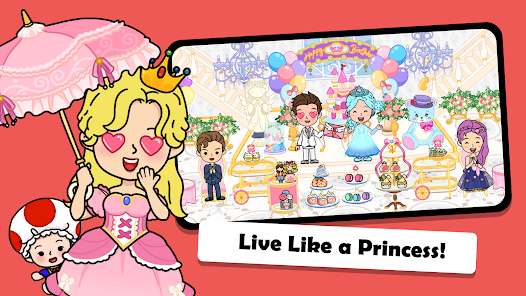
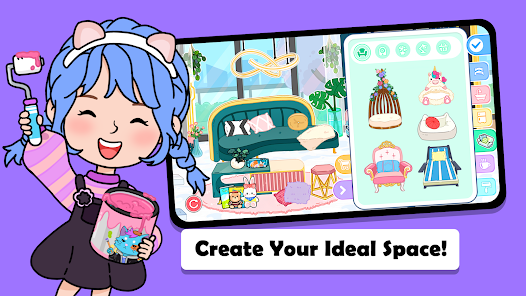
A colorful sandbox city for pretend play. Explore apartments, schools, malls, hospitals, and parks at a relaxed pace. No missions—just stories powered by imagination ✨.
Creative Role-Play
Design scenes, cook meals, care for pets, and style outfits. Mix items freely, discover quirky reactions, and craft mini adventures with friends and family characters ?.
Lively Places & Characters
Dozens of interactive rooms, secrets to uncover, and themed packs to expand the world. Seasonal events, trendy gear, and cute NPCs keep play fresh and surprising ?.
Safe, Kid-Friendly Fun
Built for kids: simple controls, offline play, and no rules. Parent-friendly options, gentle sound, and thoughtful content encourage safe exploration and creativity ?️.
• How to Play?
Step 1: Start with the city map, pick a location, and begin role-play. Tap, drag, and combine objects to create stories. Unlock free scenes in the shop, and add packs anytime ?.
Step 2: Launch & Map
Step 3: Open the game, tap the globe/map icon ?, then choose a place: apartment, school, mall, hospital, or park. Use arrows or doors to move between floors and rooms.
Step 4: Create Characters
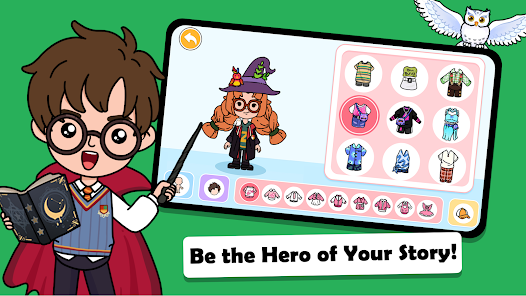
Step 5: Enter the Salon or Closet ? to customize hair, outfits, and accessories. Drag clothing onto a character, mix styles, and save favorite looks with quick swaps.
Step 6: Interact with Items
Step 7: Long-press to pick up, drag to move, and drop to use. Cook in kitchens ?, feed pets ?, dress dolls, and turn on devices. Try combining items to trigger fun reactions.
Step 8: Build Stories
Step 9: Place characters together, share food, and act out scenes. Use beds, bathtubs, phones, and toys. Reset a room with the reset button ? when a fresh setup is needed.
Step 10: Explore Jobs & Places
Step 11: Visit hospital ? to role-play doctor, check vitals, and use tools. At school ?, teach class and write on boards. In the mall ?️, shop, cook, and try new gadgets.
Step 12: Shop & Settings
Step 13: Open the store ? to download free scenes and purchase expansions. In Settings ⚙️, manage sound, language, and parental controls. Content works offline after download.
Download for App
Ratings
Similar Games










Online Games















Disclaimer
WinWilder does not represent any developer, nor is it the developer of any App or game.
WinWilder provides screenshots, historical version APK, links and other information collected from Google Play.
All trademarks, registered trademarks, product names and company names or logos appearing on the site are the property of their respective owners.
We guarantee the security of APK files downloaded from our site and also provide the official download link at Google Play Store and App Store.