












Survivalcraft
LEGO ® Marvel Super Heroes

Door Kickers: Action Squad
Star Survivor:Premium
ScourgeBringer
Cover Fire: Offline Shooting
Mortar Defense

Wizard of Legend

Shadow Fight 2 Special Edition
World War: Fight For Freedom
Advertisement
Weaphones Firearms Simulator
OranginalPlan LLC
Updated Time
Jun 18, 2026
Category
Simulation
Installs
10M+
Content Rating
Updated Time
Jun 18, 2026
Category
Simulation
Developer
OranginalPlan LLC
Installs
10M+
Content Rating
Screenshots
Advertisement
Editor Reviews
• What is Weaphones Firearms Simulator?
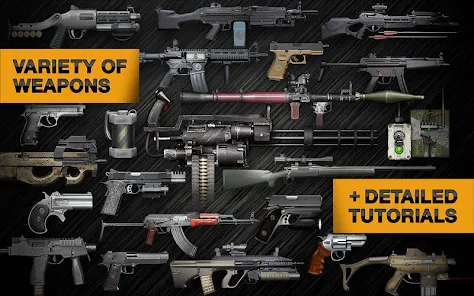
Hyper-Real Firearm Sandbox
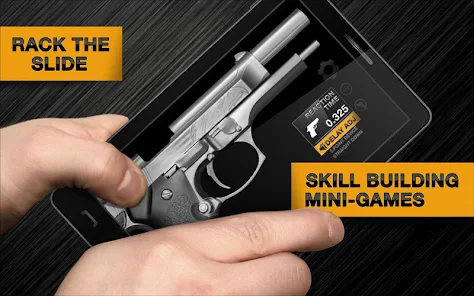
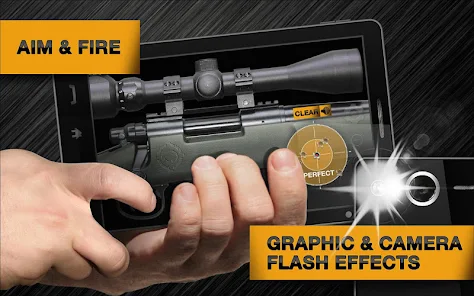
A tactile gun simulator that turns the screen into a working weapon system. Load mags, rack slides, flip safeties, and fire with lifelike sounds, recoil, and smoke. ??
Signature Features
Full interactivity per part, optional malfunctions, slow‑motion, left/right hand mode, and scale‑to‑fit for ergonomic control. Detailed models and authentic controls boost immersion. ?️?️
Why It’s Fun
Every action feels manual and rewarding—no auto-fire shortcuts. Experiment, practice safe handling, and master timing as the virtual range lights up with clicks, clacks, and bangs. ??
Built for Enthusiasts and Newcomers
Great for firearm fans, tinkerers, and curious minds. Learn mechanics, test fire modes, and enjoy a zero-risk sandbox that still respects real-world operation and discipline. ??
• How to Play?
Step 1: Launch the sim, choose a gun, and follow on-screen cues. Interact directly with each part; patience and proper sequence prevent jams and keep the virtual firearm running smoothly. ??
Step 2: Open the armory and select a model. Use pinch to scale-to-fit the hand, and toggle left/right mode if needed. Explore the layout before loading to spot safety, slide, and magazine. ??
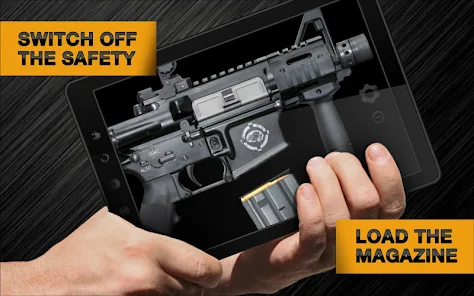
Step 3: Insert the magazine by dragging or tapping the mag well icon. Rack the slide or pull the charging handle to chamber a round. Verify the safety state before proceeding. ??
Step 4: Grip the device, aim using the built‑in sights, then press the trigger area to fire. Mind recoil and muzzle rise; short, controlled taps improve accuracy in burst and semi modes. ??
Step 5: Toggle safety and select fire mode (safe/semi/burst/auto) via the selector. Practice trigger discipline; change to semi for precision and auto for spray only when stability allows. ?⚙️
Step 6: If a jam occurs, tap to drop the mag, rack to clear, then reinsert and chamber. Keep an eye on ammo counters; perform tactical or empty reloads before the bolt locks back. ??
Step 7: Use slow‑motion, flashlight, and accessory toggles to learn timing. Wear headphones for richer audio. Visit the tutorial range to refine fundamentals and try different models. ??️
Download for App
Ratings
Similar Games













Online Games















Disclaimer
WinWilder does not represent any developer, nor is it the developer of any App or game.
WinWilder provides screenshots, historical version APK, links and other information collected from Google Play.
All trademarks, registered trademarks, product names and company names or logos appearing on the site are the property of their respective owners.
We guarantee the security of APK files downloaded from our site and also provide the official download link at Google Play Store and App Store.