Gabbys Dollhouse: Games & Cats
What is Gabbys Dollhouse: Games & Cats?
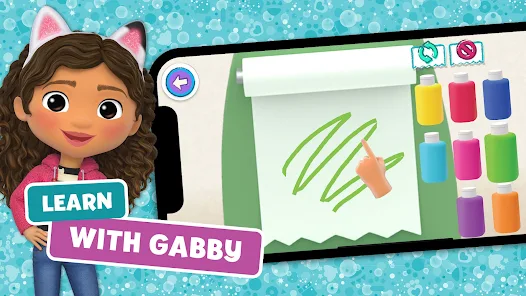
A Cozy Dollhouse Adventure Explore Gabby’s vibrant dollhouse with Pandy Paws and kitty pals ??. Tap into mini games, creative play, and magical surprises that spark curiosity and smiles ✨.
Charming Features Unbox daily deliveries ?, visit themed rooms, and play with MerCat, Cakey, DJ Catnip, and Carlita. Craft, bake, sing, and decorate at a gentle pace perfect for kids.
Why It Shines Short, guided activities grow creativity and coordination ?. Friendly hints, collectible stickers, and dress‑ups keep progress rewarding without pressure.
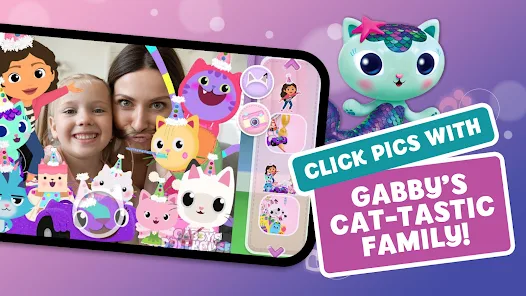
Fun You’ll Love Bake sweet treats ?, mix bubbly potions ?, spin tunes ?, zoom with Carlita ?, and snap cute pics ?. Unlock gifts and cozy décor to personalize each room.
How to play Gabbys Dollhouse: Games & Cats?
- Start cozy playtime with simple taps—perfect for small hands. Follow these steps to explore, play, and collect surprises with Gabby and the kitty crew ?.
- Install from Google Play and launch. Initial assets may download; keep the app open. From the title screen, tap Play to enter the dollhouse ?.
- On the dollhouse, swipe left or right to browse floors. Tap doors or characters to enter rooms; look for icons that show activities and mini games ✨.
- Tap the gift/box button to unbox a daily surprise ?. New stickers, décor, or tools are added to the collection and can appear in room activities.
- Choose a room activity: bake with Cakey in the Kitchen ?, mix potions with MerCat in the Bathroom ?, jam with DJ Catnip in Music Room ?, or zoom with Carlita ?.
- Controls are simple: tap, drag, and hold. Match colors, add ingredients, and follow outlines or timers on screen. Sparkling cues highlight what to try next.
- Earn rewards to decorate and dress up. Open the sticker book to place finds, and use the décor or paint icons to arrange items and refresh each room.