Kpop Fans Demon Hunter Wallpap
What is Kpop Fans Demon Hunter Wallpap?
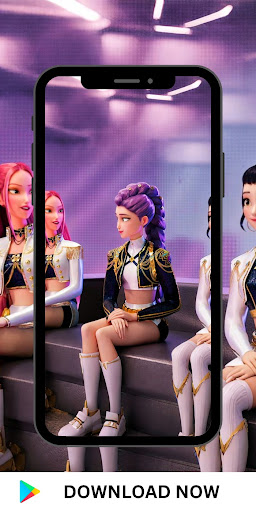
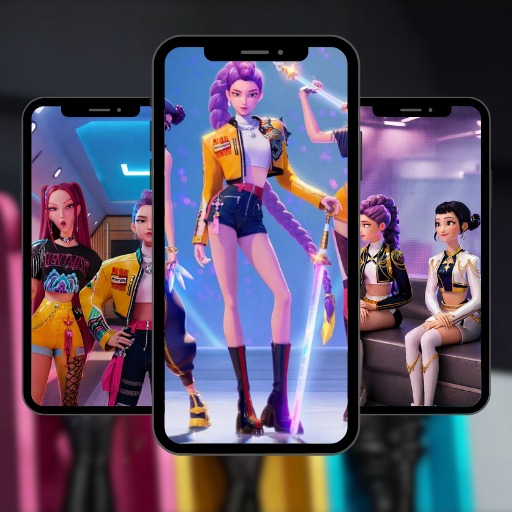
K‑Pop Demon Hunter Vibes A casual wallpaper game mixing cute K‑pop fan art with demon‑hunter style action ⚔️. Tap through stylish scenes, unlock idols in battle outfits, and decorate the screen with dynamic effects that feel like a tiny anime concert on the phone.
Stylish Anime + K‑Pop Fusion Combines neon fantasy worlds, magic weapons, and stage lighting for a unique fan experience ✨. Each wallpaper is designed like a poster of a favorite hero idol, with smooth animations that keep the home screen from ever looking boring.
Made for K‑Pop Fans Enjoy fan‑inspired characters, pastel palettes, and dramatic poses that feel straight from a music video. Simple controls, light size, and quick loading make it easy to jump in, swap looks, and share screenshots with friends 💖.
Relaxing Yet Addictive No hardcore grinding—just chill tapping, collecting, and customizing. Unlock new scenes, adjust effects, and find the perfect combination of cute and badass for the lock screen and home screen. Great for short breaks and daily mood boosts 😈💎.
How to play Kpop Fans Demon Hunter Wallpap?
- Basic Gameplay
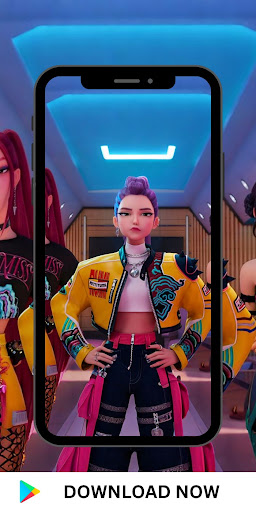
- Play by tapping through demon‑hunter scenes, unlocking K‑pop style characters, and setting favorite images as wallpapers. No complex rules—just explore, customize, and save the best shots 📱.
- Launch and Allow Permissions
- Open the app and grant storage or wallpaper permissions when asked. This is needed so selected images can be saved and applied to the home or lock screen safely.
- Browse Wallpaper Collections
- Swipe left or right to move through different demon‑hunter themes. Look for icons or tabs like "Gallery", "Popular", or "New" to quickly jump to fresh designs and seasonal packs.
- Preview a Wallpaper
- Tap a wallpaper thumbnail to open full‑screen preview. Check details, colors, and character poses. Use pinch to zoom if supported, so tiny effects and weapons can be seen clearly 🔍.
- Customize Effects
- If the app offers edit tools, tap buttons like "Edit", "Effect", or "Filter". Adjust brightness, add glow, or change background color to better match the device icons and widgets for a cleaner look.
- Set as Home or Lock Screen
- Press the "Set Wallpaper" button. Choose "Home Screen", "Lock Screen", or "Both" when the system dialog appears. Wait a few seconds until confirmation pops up, then exit to see the new style 😎.
- Save, Share, and Update
- Use "Save" to keep your favorite designs offline. Tap the share icon to send wallpapers to friends on chat apps or social media. Visit the app regularly for new packs, events, or limited hero‑idol designs so the phone never feels outdated.