Quick Earn Robux
What is Quick Earn Robux?
Fast Fun, Real Challenges — Mini-games, quizzes, and tasks built around Roblox fandom. Collect coins ?, climb leaderboards ?, and explore tips for smarter Robux use—no grind, just good vibes!
Simple Yet Rewarding — Clean UI, quick sessions, and clear goals. Earn points through play ?, unlock streak bonuses ?, and turn wins into in-app rewards without hassle.
Safe and Transparent — Community-friendly rules, no hacks, no generators ?. Not affiliated with Roblox; info and rewards are for entertainment only ?. Progress is tracked clearly.
Play Anywhere, Anytime — Works offline for practice modes, online for events ?. Lightweight install, battery-kind ?, and snack-sized challenges perfect for commute breaks.
How to play Quick Earn Robux?
- Getting Started — Launch, accept terms, and pick a starter badge. The Home shows Tasks, Mini-games, Wallet, and Store. A short tutorial pops up; finish it for a bonus ?.
- Open Tasks — Tap Tasks, choose an offer type (quiz, survey, mini-game). Check the time estimate ⏱️ and payout coins ? shown on each card before starting.
- Complete Requirements — Read the “How to finish” line, then follow links in-app. Keep the app open until the completion toast ✅ appears to ensure tracking.
- Play Mini-games — Enter Arcade, pick a mode (tap, memory, trivia). Hit target scores to earn stars ⭐. Stars convert to coins automatically at the end screen.
- Use Streaks — Log in daily, claim the calendar gift ?, and finish at least one task. Seven-day streak grants a multiplier boost ⚡ on select offers for 24 hours.
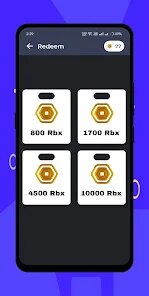
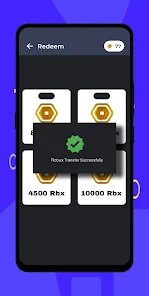
- Redeem Wisely — Open Wallet, verify email, then head to Store. Choose available gift options ?️, check region notes, confirm amount, and wait for delivery status to turn Sent.
- Stay Safe — Never share passwords; this app asks none ?. For issues, open Settings > Support, attach screenshots, and include Task ID. Read FAQs and policy before big redemptions.