











Heroes and Castles 2: Premium
Survivalcraft

LEGO ® Marvel Super Heroes

Door Kickers: Action Squad
Star Survivor:Premium
ScourgeBringer

Cover Fire: Offline Shooting

Mortar Defense

Wizard of Legend

Shadow Fight 2 Special Edition
Advertisement

Real Cricket™ 24
Nautilus Mobile App Private Limited
Updated Time
Jun 18, 2026
Category
Sports
Installs
10M+
Content Rating
Updated Time
Jun 18, 2026
Privacy Policy
View PolicyCategory
Sports
Developer
Nautilus Mobile App Private Limited
Installs
10M+
Content Rating
Screenshots
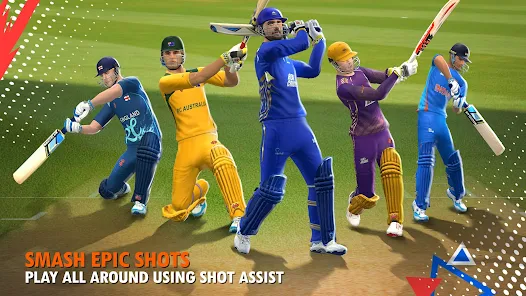
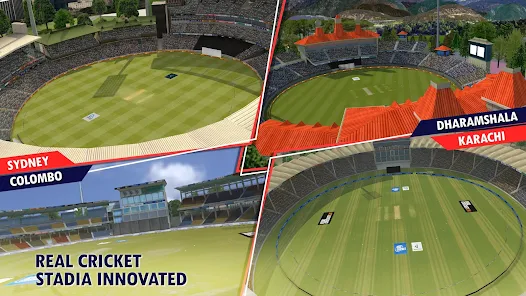
Advertisement
Editor Reviews
• What is Real Cricket™ 24?
Authentic Cricket Simulator
Mobile cricket sim with real physics, motion-capture swings, Pro Cam, and authentic rules like DRS/DLS. Build dream squads, feel live stadium vibes, and play quick matches or full tournaments. ???
Deep Modes & Tournaments
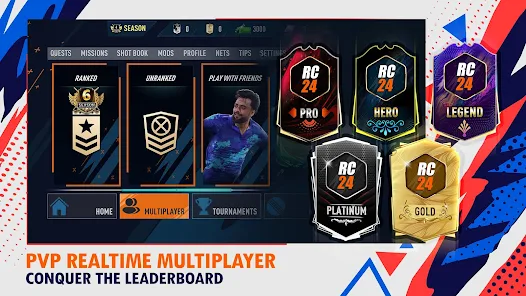
Play World Cup, Asia Cup, Test, ODI, T20, and RCPL auction leagues. Climb ranked multiplayer, craft custom logos and jerseys, and chase records with dynamic progression and seasonal events. ??⚡
Skill-Based Batting & Bowling
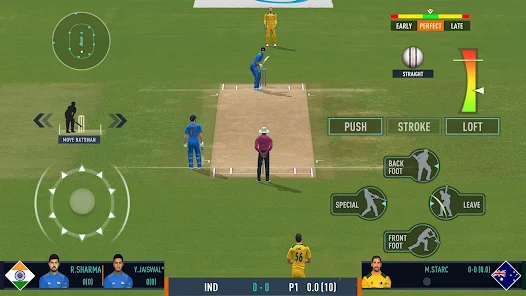
Batting and bowling are skill-first: aim shots with a map, time swings, loft or ground. Bowl pace or spin, shape swing and flight, use manual fielding, Pro Cam, and Ultra Edge on fine edges. ?⏱️?
Why It’s Fun
Packed with cinematic replays, roaring crowds, clutch finishes, and snappy controls. Jump into 1v1 or co-op, master tactics, collect gear, and let cricket stories unfold each over—pure drama! ???
• How to Play?
Step 1: Start with Quick Match to learn timing, then explore tournaments and multiplayer. Keep aids on initially, then raise difficulty as confidence grows. ?
Step 2: Install & setup ⚙️
Step 3: Install, open, sign in via Google/Facebook or as guest. Complete tutorial, allow permissions, and download commentary or graphics packs if prompted.
Step 4: Choose a mode ?
Step 5: From Home > Play, pick Quick Match, Tournaments (World/Asia Cup, RCPL), or Multiplayer (Ranked/Casual, 1v1/2v2). Use Nets to practice shots and deliveries.
Step 6: Configure controls & camera ?
Step 7: Go Settings > Controls: select Classic or Pro. Enable Shot Map/aim assist, toggle Pro Cam, set overs/difficulty, and choose preferred batting/bowling HUD.
Step 8: Batting basics ?
Step 9: Before delivery, choose shot direction on the wheel/map. Tap for ground, hold for loft. Time the swing as the ball meets the marker; leave or defend good-length balls; save Power Shots for gaps.
Step 10: Bowling basics ?
Step 11: Select pace or spin. Drag the marker for line/length, adjust swing/spin with the slider, and release on the timing bar. Mix yorkers, bouncers, slower balls; set fields to match the plan.
Step 12: Fielding, reviews, extras ?️
Step 13: Enable Manual Fielding. Tap to collect, swipe to throw at stumps; cut angles to stop twos. Use DRS via the Review button on close lbw/edges. Pause to tweak tactics, bowlers, and field presets mid-innings.
Download for App
Ratings
Similar Games





Online Games















Disclaimer
WinWilder does not represent any developer, nor is it the developer of any App or game.
WinWilder provides screenshots, historical version APK, links and other information collected from Google Play.
All trademarks, registered trademarks, product names and company names or logos appearing on the site are the property of their respective owners.
We guarantee the security of APK files downloaded from our site and also provide the official download link at Google Play Store and App Store.